
Create Eye-Catching Roblox Thumbnails with AI
The AI Roblox thumbnail maker for developers. Describe your scene and get a professional, high-CTR 16:9 game thumbnail in seconds. No designer, no wait, no design skills needed.
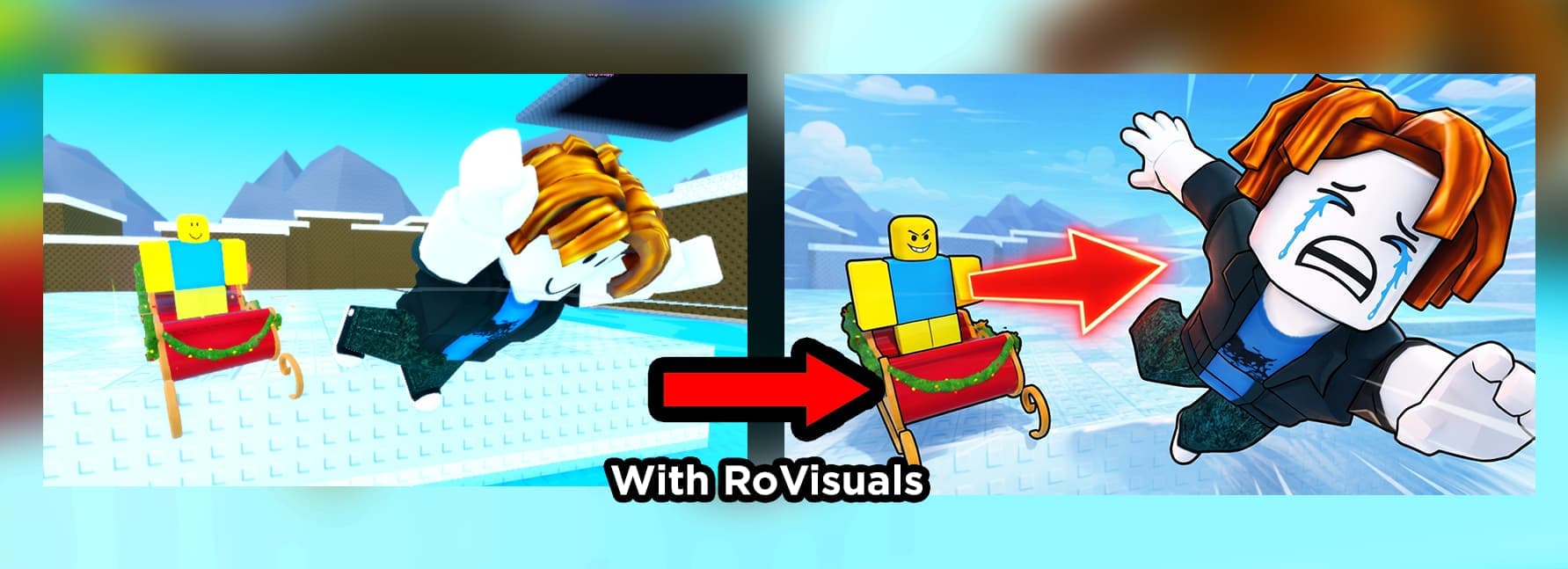
The Fastest Way to Make a Roblox Thumbnail
On Roblox, your thumbnail is the single biggest factor in whether players click into your game. But commissioning a GFX artist is slow and expensive, and you only find out if the art converts after you have already paid for it.
RoVisuals is an AI Roblox thumbnail maker. Generate professional, high-CTR Roblox thumbnails in seconds. It is part of the full Roblox AI GFX suite, alongside the icon generator and logo maker.
Professional Thumbnails Made Easy
Roblox Thumbnail Size & Dimensions
Roblox experience thumbnails use a 16:9 aspect ratio. Get the dimensions right and your thumbnail displays crisp and uncropped everywhere it appears: the games list, search, and your experience page.
- Aspect ratio: 16:9 (widescreen)
- Recommended size: 1920 x 1080 pixels
- Minimum size: 1280 x 720 pixels
- Format: PNG or JPG
- Thumbnails per experience: up to 10, so you can test and rotate winners
Every thumbnail from this tool is generated at the correct 16:9 ratio and high resolution, so there is nothing to crop or resize before you upload.
How to Create a Roblox Thumbnail
Describe Your Scene
Paint a picture with words. Describe the action, characters, environment, and mood. For example: "Epic battle scene with knights fighting a dragon in a burning castle, dramatic lighting".
Add Reference Images
Optionally upload screenshots from your game or reference art to help the AI match your game's style and aesthetic.
Generate & Use
Get your thumbnail in seconds. Download and upload to your Roblox game page, or use for social media and advertisements.
How to Make High-CTR Roblox Thumbnails
A great thumbnail is the difference between a scroll and a click. Use these proven tips when writing your prompt so the AI produces thumbnails players actually tap.
Lead with a bold character or face
Thumbnails with a clear, expressive character stop the scroll. Show emotion: excitement, shock, or determination reads instantly at small sizes.
Keep text short and readable
One or two punchy words at most. Use a heavy, high-contrast font so the words survive being shrunk down in the Roblox games list.
Use high contrast and saturated color
Bright, saturated colors and strong light-vs-dark contrast make your thumbnail pop next to competitors in the same genre.
Show the core fantasy of your game
The thumbnail should promise what makes your experience fun in a single glance: the tycoon empire, the epic boss, the obby finish line.
Avoid clutter
A busy thumbnail turns to mush at thumbnail size. One clear subject and a clean background almost always beats a crowded scene.
Frequently Asked Questions
What size should a Roblox thumbnail be?
Roblox displays experience thumbnails in a 16:9 aspect ratio. 1920 x 1080 pixels is the recommended size, though any 16:9 image (such as 1280 x 720) works. Upload as a PNG or JPG. Every thumbnail from this tool is generated at the correct 16:9 ratio, so you can download and upload it directly.
How do I make a Roblox thumbnail with AI?
Describe the scene you want: the action, characters, environment, and mood. Optionally upload screenshots from your game as reference so the AI matches your style. Generate, then download the finished 16:9 thumbnail in seconds. No design skills or software required.
How do I make my thumbnail get more clicks?
The highest-CTR Roblox thumbnails lead with a bold, expressive character, use one or two words of high-contrast text, and show the core fun of the game in a single glance. Because generating is fast and cheap, the real edge is testing several thumbnails and keeping the one that converts.
Can I use my own game screenshots as a reference?
Yes. You can upload reference images (screenshots, character models, or existing art), and the AI will match your game's style and aesthetic. Reference image limits depend on your plan.
Can I use the thumbnails commercially?
Absolutely. Every thumbnail you generate includes a full commercial license. Use it on your Roblox game page, in sponsored ads, and across social media, including for monetized experiences.
How much does it cost to make a thumbnail?
Thumbnails cost 2/3 credits, just cents per generation. New users can verify their Discord to claim free credits and test the tool before committing to a plan.
Ready to Create Your Thumbnail?
Make your game stand out with a professional thumbnail that attracts players.
Start Creating